All ticketholders for the 2027 conference were sent a message (to the email address with which they purchased their ticket) on Sunday 8 February (the day after the conference). Click the ‘Watch now’ link in the email.
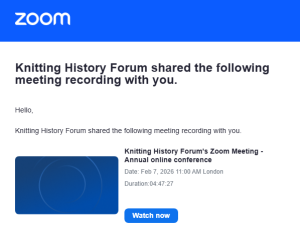
You will arrive at a web page where you log into Zoom. If you do not have a Zoom account or your Zoom account is registered with a different email address, you can sign up for a free, basic Zoom account using the email address you used to purchase your ticket. Go to this web page to get started: Instructions for this are here: https://zoom.us/signup#/signup.
Once you have done that, log into Zoom on the web (not the application) before clicking the ‘Watch now’ link in the email sent to you by KHF. You may still receive a notification on screen asking you to request permission to access the recordings. KHF did not set up this need for additional permission to view the recordings. It seems to be an extra authentication set on the system by Zoom. Not everyone is required to do it. As soon as you request permission, an email is sent to KHF. It is not always possible to respond immediately (especially if you are in a different time zone from the receipient) but the team endeavours to allow access as soon as is practical.
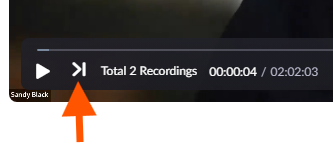
Please note that there are two recordings – one for the papers before the break (part 1) and one for the papers after it (part 2). To switch between the two recordings, use the >| and |< buttons that are bottom-left of the video window.
The KHF team regrets that access to the recordings is available to conference ticketholders only.